
What this is
During my time in Prof. Jenkins’ lab I was handed an M5Stack TimerCAM, an ESP32 camera module about the size of a stick of gum, and a straightforward brief: pair it with an external microscope lens and make it usable as a wireless field microscope.
No app. No pairing flow. Join the network, open a browser, see what the lens sees.
The finished version does three things at once: streams a live low-resolution feed so you can frame what you’re looking at, captures a full-resolution still on demand, and sleeps itself when nobody’s using it. All of that runs on one camera sensor and one dual-core chip, and most of the interesting work was in keeping those two facts from colliding.
The first version, and why it fell over
The first thing I built was the obvious thing. Configure the camera at the highest quality it would accept, start a web server, serve a JPEG when someone hits /capture.
.frame_size   = FRAMESIZE_UXGA,  // 1600x1200
.jpeg_quality = 3,               // lower number = less compression
.fb_count     = 1,
It worked when I poked it gently and fell apart under any real use. Captures came back with visual artifacts. The device would drop its connection partway through sending an image, and sometimes reset outright.
The cause was that everything lived on one core. On an ESP32 running Arduino, your setup() and loop() share a core with the WiFi stack. Grabbing a 1600×1200 frame at near-zero compression is not a quick operation: it’s a large PSRAM allocation plus a long stretch of encoding, and while that runs, the WiFi driver isn’t getting serviced. Push that hard enough and the connection dies or the watchdog fires.
I could have papered over it by lowering the resolution until captures got fast enough to sneak between WiFi’s needs. That’s what I did at first, and it’s why the early version took worse pictures than the hardware was capable of. The actual fix was to stop making the two jobs compete.
Splitting the work across two cores
The ESP32 has two cores, and FreeRTOS lets you pin a task to a specific one. So camera work got its own task on core 0, and everything user-facing stayed on core 1.
xTaskCreatePinnedToCore(
    cameraTask,         // task function
    "CameraTask",
    4096,               // stack
    NULL,
    2,                  // priority above default
    &cameraTaskHandle,
    0                   // core 0
);
The web handler no longer touches the camera. It raises a flag, then blocks on a semaphore until the camera task says a frame is ready:
camera_fb_t* captureImage() {
    // drain any stale signal from a previous capture
    while (xSemaphoreTake(frameReadySemaphore, 0) == pdTRUE) { }

    requestCapture();

    if (xSemaphoreTake(frameReadySemaphore, pdMS_TO_TICKS(2000)) == pdTRUE) {
        return capturedFrame;
    }
    return NULL;  // timed out
}
Draining the semaphore before requesting is a small detail that matters. Without it, a leftover signal from an earlier capture satisfies the wait immediately and the handler returns the previous frame, which looks like a camera that’s one photo behind reality.
With capture off the critical path, WiFi stayed responsive and I could put the quality settings back up.
Frame rate against resolution
Fixing the contention didn’t answer the question underneath it, which was what resolution to actually run at.
Every frame costs the same four things: time for the sensor to read out, time for the JPEG encoder to compress it, PSRAM bandwidth to hold it, and WiFi throughput to ship it. All four scale with pixel count, so resolution and frame rate trade directly against each other. You can have detail or you can have smoothness. Asking for both at once is how I got the crashes in the first place.
What made this harder than a normal tuning problem is that the device has two jobs that want opposite ends of that trade.
Framing wants frame rate. You’re moving a lens over a specimen by hand, and you need the picture to follow your hand closely enough to aim. Latency is the enemy. Detail barely matters, because you’re looking at shape and position, not reading anything off the image.
Inspection wants resolution. Once the lens is where you want it, the entire point of the device is resolving fine structure. A smooth stream is worthless if the thing you’re trying to see isn’t in the pixels.
I spent a while trying to find the setting in the middle that would serve both. There isn’t one. VGA at moderate compression is sluggish enough to make aiming annoying and coarse enough to lose the detail you came for. It’s the worst of both, and the fact that it’s the average of two good answers doesn’t make it a good answer.
So the firmware stopped choosing. It runs two configurations on the same sensor and switches between them on demand:
| Live preview | Capture | |
|---|---|---|
| Frame size | QQVGA, 160×120 | XGA, 1024×768 |
| JPEG quality | 20 (heavy compression) | 10 (light compression) |
| Target rate | ~5 fps, continuous | one frame, on request |
That’s about 19,000 pixels per preview frame against roughly 786,000 per still, a factor of 41. The preview is small and ugly enough to stream continuously without troubling the WiFi stack, and the still is big enough to be worth keeping. Neither setting is a compromise, because neither one has to do the other’s job.
The cost is the switching itself, which is where the next two problems came from.
Adding a live video feed
There’s one sensor, and it can’t be in both configurations at once. So the camera task holds the preview settings by default:
framesize_t videoFrameSize   = FRAMESIZE_QQVGA;  // 160x120
int         videoJpegQuality = 20;               // heavily compressed
int         videoFrameRate   = 5;                // target fps
and when a capture comes in, it switches the sensor to the still settings, takes one frame, and switches back.
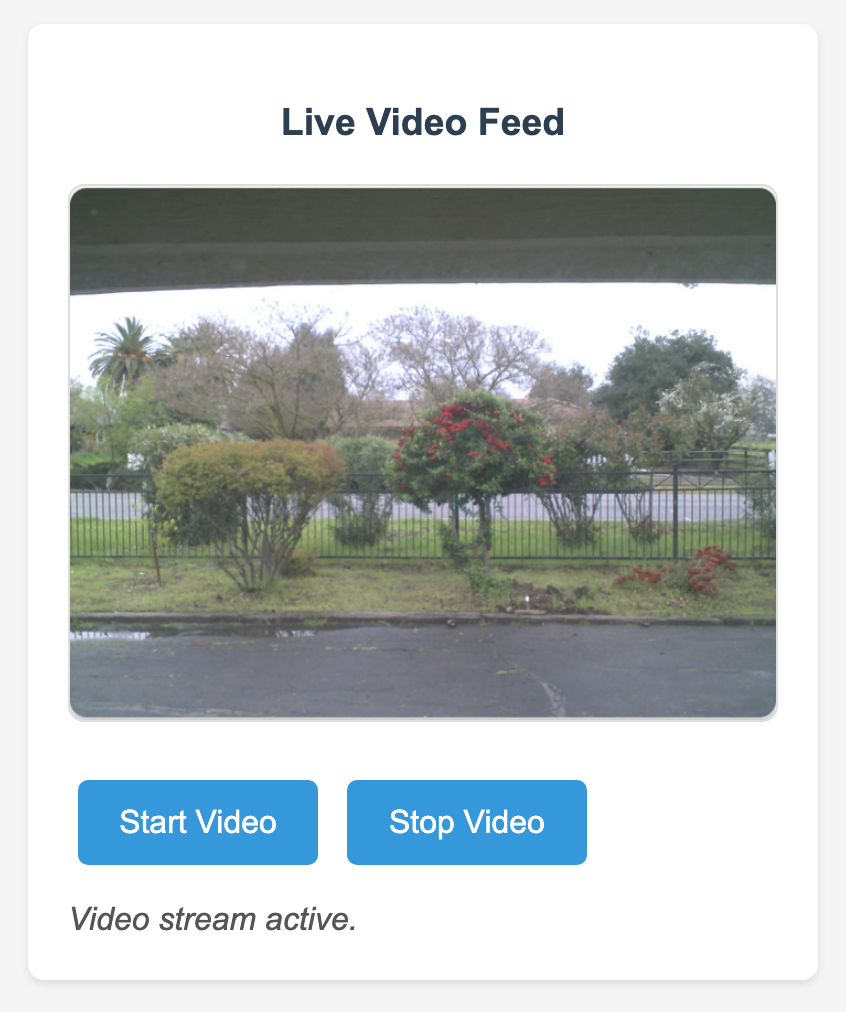
The stream itself is MJPEG: a multipart/x-mixed-replace response that never ends, with each JPEG announced by its own header. Browsers render that natively in an <img> tag, so the client side is one line of HTML and no JavaScript.
String header = "--frame\r\nContent-Type: image/jpeg\r\nContent-Length: "
              + String(frame->len) + "\r\n\r\n";
The two bugs that cost the most time
Frames arrive with the settings you asked for two frames ago. After changing the sensor’s frame size or quality, the driver still has frames in flight that were captured under the old configuration. If you grab immediately, you get a picture at the wrong resolution, or a corrupted one caught mid-transition. The fix is unglamorous: after changing settings, wait, then take a frame and throw it away.
if (settingsWereChanged) {
    vTaskDelay(100 / portTICK_PERIOD_MS);
}
// discard one frame so the pipeline is flushed
camera_fb_t *discard = esp_camera_fb_get();
if (discard) esp_camera_fb_return(discard);
Two pieces of code thought they owned the same buffer. The camera driver hands out frame buffers that must be returned to it, and it only has a couple. Early on, both the camera task and the HTTP response path were returning the same buffer, which meant the driver handed the same memory out again while it was still being transmitted. That shows up as torn images, then as a crash, and it does not look like a memory bug from the outside.
The rule I settled on is that the camera task owns every buffer and is the only thing allowed to release one. The web handler borrows a pointer and returns nothing. It’s written in the code as a comment in capital letters, because I got it wrong twice.
The capture handshake
Putting those together, a capture request now runs a small negotiation. Pause the stream, let the task notice, take the still, resume the stream:
bool wasStreaming = videoStreamingEnabled;

if (wasStreaming) {
    setVideoStreamingState(false);
    delay(150);              // let cameraTask see the flag and release its video buffer
}

camera_fb_t *fb = captureImage();   // blocks until the task delivers

if (wasStreaming) {
    setVideoStreamingState(true);
}
The 150 ms is the part I’m least happy with. It’s a delay chosen because it worked, not because it’s provably enough. A second semaphore, with the camera task acknowledging that it has actually stopped and released its video frame, would be the correct version. On a device where the failure mode is one glitched frame, the timing constant was good enough, but it’s the first thing I’d fix.
Getting on the network
The original version ran as its own access point at 192.168.4.1. You’d join the camera’s WiFi and open that address.
That works anywhere, which is genuinely useful in the field, but it costs you internet on whatever device you’re using and it means typing a raw IP. The current firmware joins an existing network instead and advertises itself over mDNS:
if (MDNS.begin("m5microscope")) {
    MDNS.addService("http", "tcp", 80);
}
so it answers to http://m5microscope.local and your phone keeps its normal connection.
The tradeoff is real, and I’d call it a downgrade for actual field use: away from a known network, the device now has nothing to join, and the firmware puts itself to sleep rather than sitting there unreachable. Supporting both, with an access point as the fallback when a join fails, is the obvious next step and isn’t written yet.
Making the battery last
The TimerCAM has a 140 mAh cell. At first it lasted about 20 minutes, which is not enough to demonstrate anything.
Almost all of that was the device staying fully awake with WiFi associated while nobody was using it. Two changes fixed it. WiFi power saving got switched on, and an inactivity timer now watches how long it’s been since the last capture and drops the chip into deep sleep after three minutes:
const unsigned long inactivityTimeout = 180000;  // 3 minutes

void checkInactivity() {
    if (getRemainingTime() == 0) {
        esp_deep_sleep_start();
    }
}
Runtime went from roughly 20 minutes to over 6 hours.
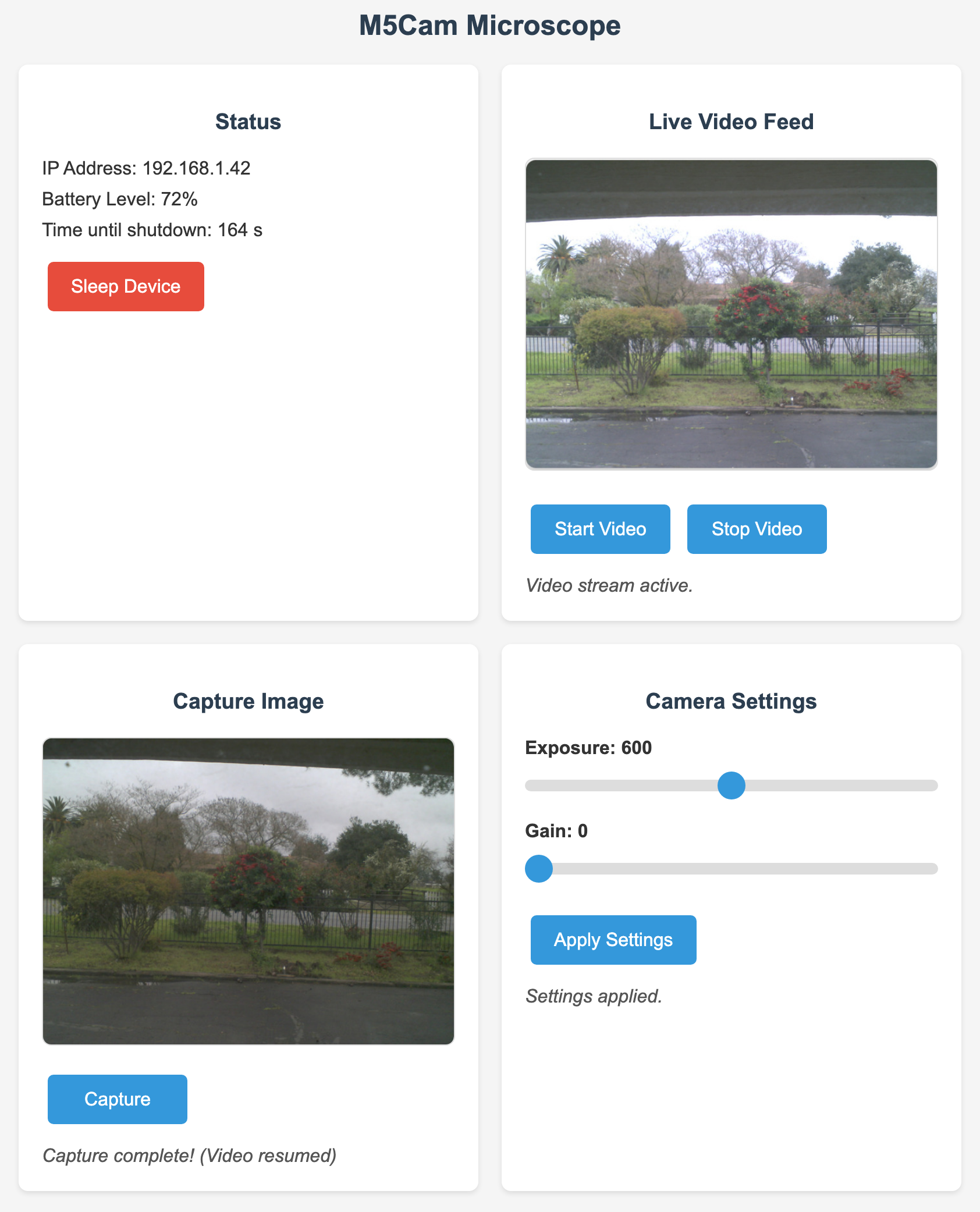
The countdown is shown on the control page, which mattered more than I expected. A device that silently disappears after three minutes feels broken. The same device with a visible timer feels deliberate, and it’s the same behaviour either way.
The control page
The interface is a single HTML file stored in SPIFFS on the device and served from /. No framework and no build step. It’s four panels in a CSS grid that reflows from three columns to two to one as the screen narrows.

Panels are status, live video, capture, and camera settings. The status panel polls the device once a second for the shutdown countdown and every thirty seconds for battery. The settings sliders write exposure and gain straight to the sensor, which is the fastest way to deal with a specimen that’s too dark or blown out.
Everything talks to a small set of plain GET endpoints:
| Endpoint | Purpose |
|---|---|
/ | serves the control page from SPIFFS |
/video | MJPEG stream, multipart/x-mixed-replace |
/videoControl?state=start|stop | starts and stops the stream |
/capture | pauses video, returns one full-resolution JPEG, resumes |
/settings?exposure=&gain= | writes sensor exposure and gain |
/battery | battery percentage |
/timer | seconds remaining before sleep |
/ip | the device’s address on the network |
/sleep | deep sleep immediately |
Nothing here is REST-shaped and it doesn’t need to be. One client, one device, on the same network.
What I’d do differently
- Replace the 150 ms delay with a real acknowledgement. A timing constant that works on my desk is not the same as a correct handshake, and this is the one place the design still relies on hoping.
- Keep the access point as a fallback. Moving to station mode made everyday use nicer and made field use worse. It should be both, falling back when a join fails.
- Decide buffer ownership before writing the code, not after. Both memory bugs came from two code paths each assuming they were responsible for the same frame. Writing down who owns what would have taken a minute.
- Show the user what the device is doing. The sleep countdown and the capture status line cost almost nothing and did more for how finished the thing feels than any firmware change.
The parts I’d keep are the two-core split and the single-owner rule for frame buffers. Those are the two decisions that turned it from something that crashed under load into something I could hand to someone else and let them use.